 By Rafael CardosoNovember 1, 20266 min read
Multi-Day Events: Flights, Bags and Day 2
A main event with a deep stack and a structure worth playing slowly does not finish by midnight. The usual answer is to split it: a Friday flight, a Saturday flight, and everyone who survived either one on Sunday. On paper that is simple. In practice it means a spreadsheet of bags, a second tournament for Sunday typed in by hand, and an argument about whose stack was whose.
Multi-day events put all of that in the app. You create the event once, play each flight like any other tournament, bag the stacks when a day ends, and build Day 2 from the bags with one button. The money is one prize pool for the whole event, paid on the last day, and the event counts once in your league.
Create the event in the tournament wizard
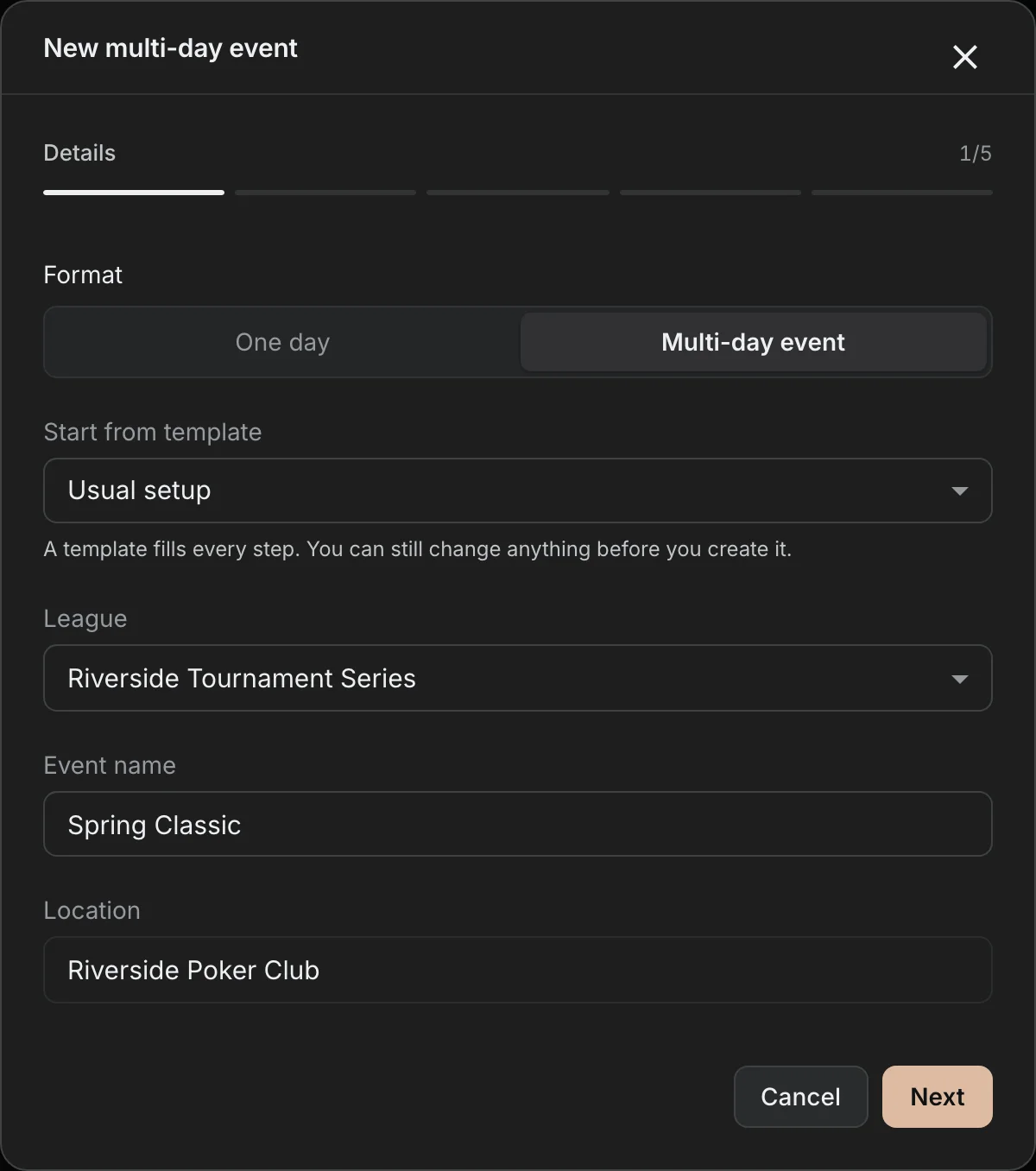
Start a tournament the usual way and choose Multi-day event under Format. Name the event, pick the league and the location, and move on to the schedule.
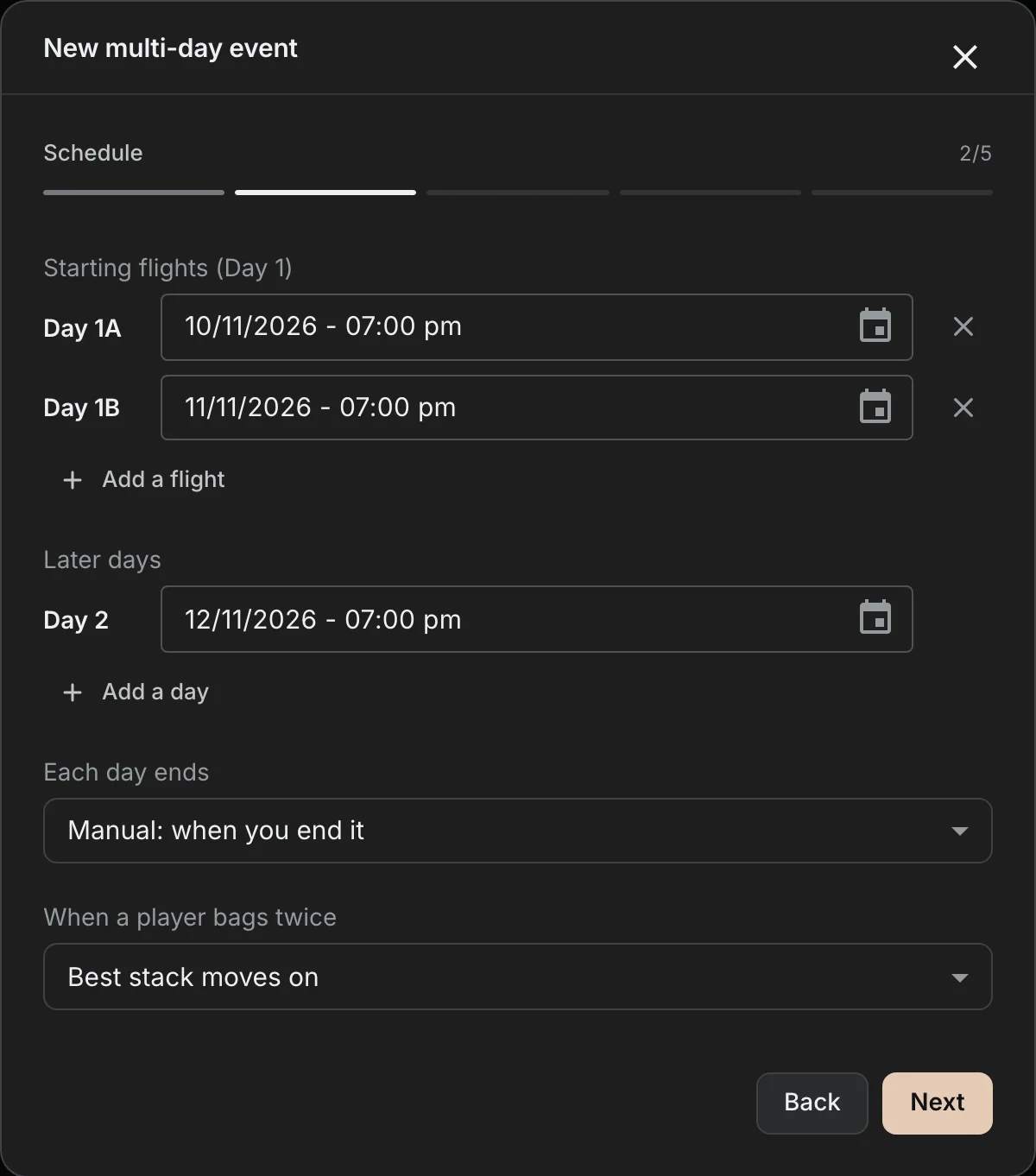
The Schedule step is where the event takes its shape. Starting flights are Day 1A, Day 1B and so on, each with its own date and time. Later days come after the last flight; add as many as the event needs. Two choices here decide how the event runs:
- Each day ends after a level, at a share of the field (flights often play down to 10 to 20%), or manually, when you end it. The level or share applies to every Day 1 flight; later days end when you end them.
- When a player bags twice: the best stack moves on, the first bag moves on, or playing again forfeits the earlier bag.
The rest of the wizard is the setup you already know: the game, buy-in, fee, starting stack, blind structure and payouts. Every day gets it. The buy-in, fee, starting stack, rebuy and add-on stacks and the early-bird bonus belong to the event, so changing them on one day changes them on every day.
One page for the whole event
The event gets its own page. The top tells you where the event stands: which day is live, how many are still in, the prize pool from every entry so far, and a track of the days. Under it, Needs you lists what to do next, the schedule lists every day with its entries and bags, and the chip leaders fill in once stacks are counted.
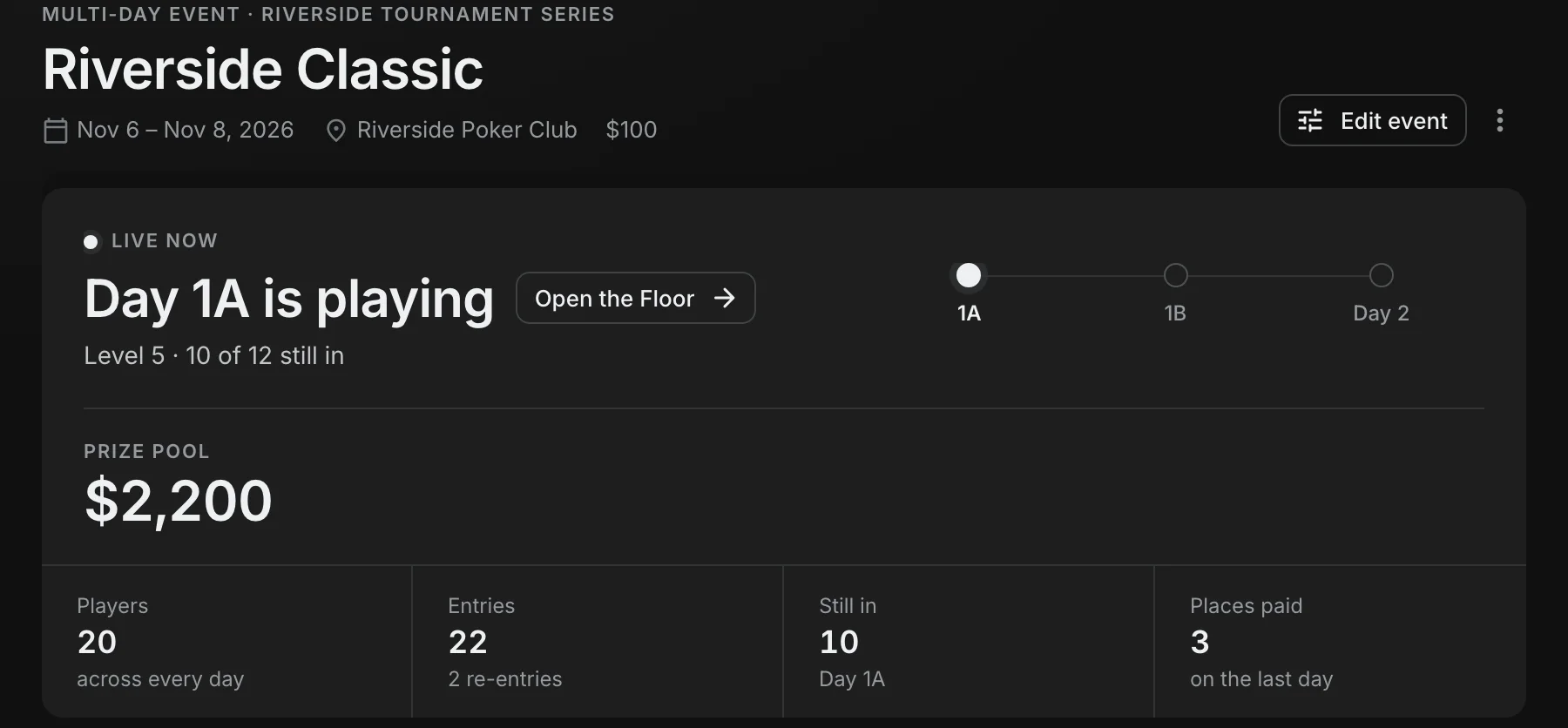
Each flight and day is a full tournament of its own. It has its clock, its Floor, its seating and its TV, so everything you do on a normal night works the same way here, re-entries included.
End of day, and the bags
The Floor knows when a flight is due to end: its banner names the level the day ends after. Once the level is played, or the field is down to its share, End of day becomes the one thing the Floor asks of you.
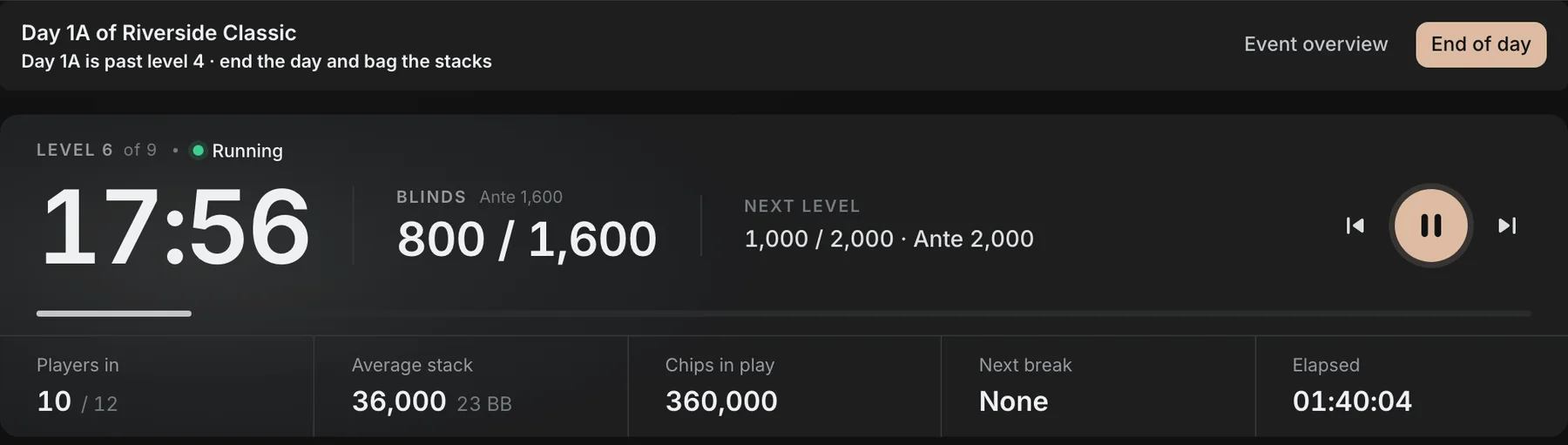
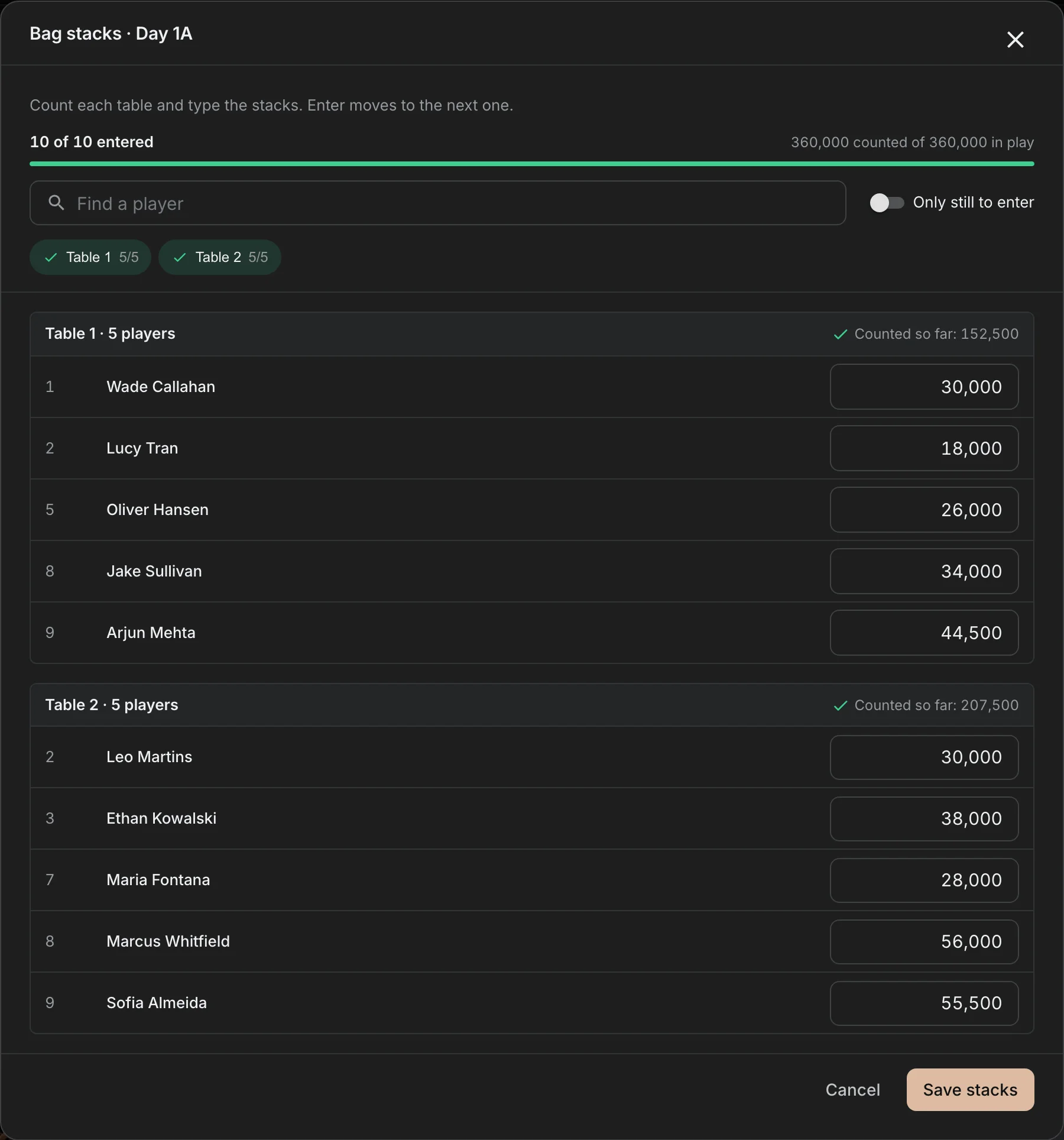
Ending the day stops the clock, closes registration, and every player still in bags their chips. Bag stacks opens next. It is laid out by table, because that is how you count a room: walk to Table 1, type the stacks, Enter moves to the next one. It keeps a running total against the chips in play, so a mistyped zero shows up before you save, not on Day 2.
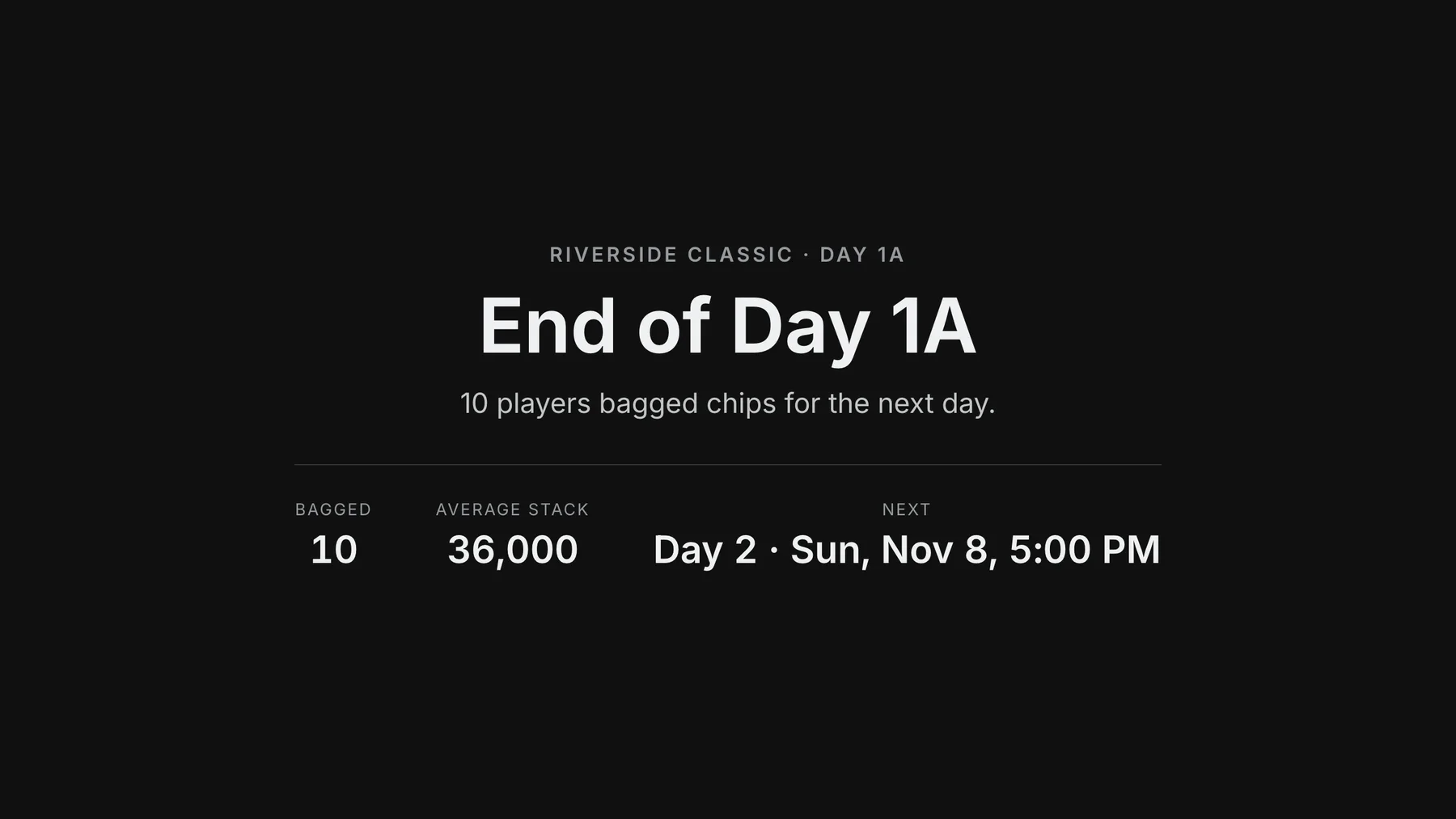
The room's screen switches to the end of the day: how many bagged, the average stack, and when the next day starts. Players see the same on their phones.
Playing more than one flight
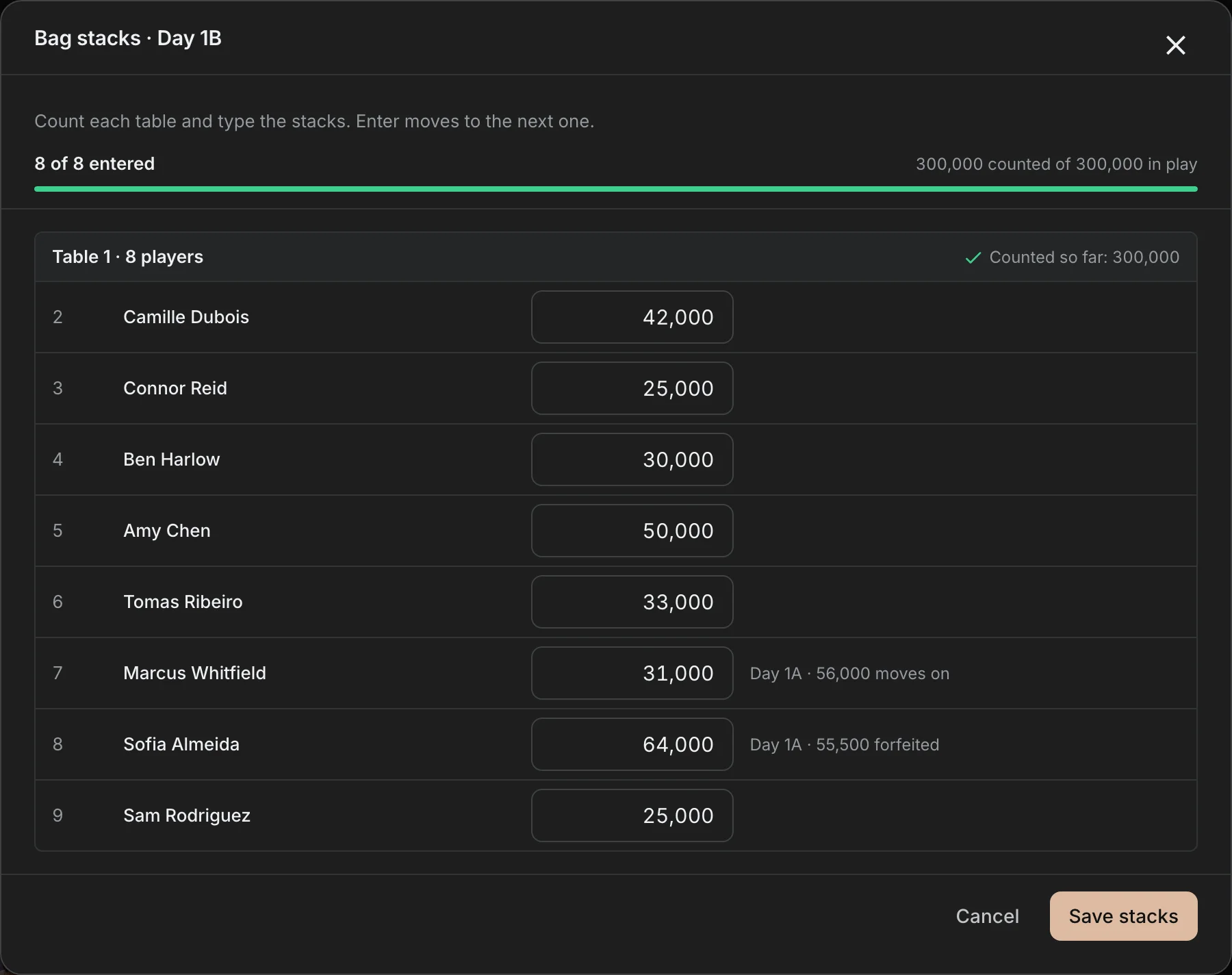
A player who busts in Day 1A can buy into Day 1B. A player who bagged in Day 1A can play Day 1B too, and that is where most spreadsheets go wrong. Here, Bag stacks shows the other bag next to the new one and says which one moves on under the event's rule.
A day that ended can be reopened if something was wrong, until the next day is built from it.
Build Day 2 from the bags
When the flights are done, the event page is between days. The chip leaders list each player once, with the bag that moves on and the flight it came from, and Needs you offers to build the next day.
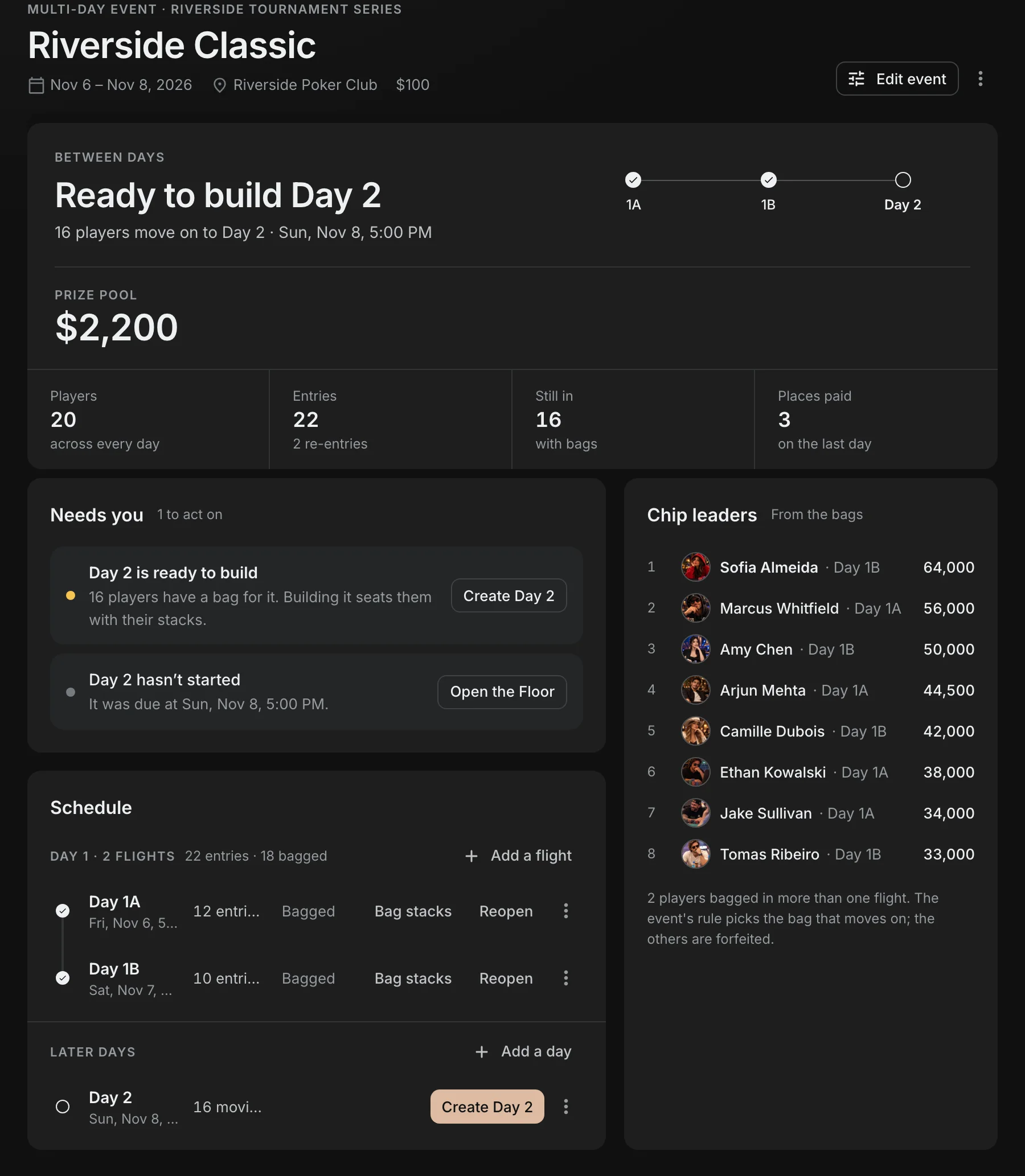
Create Day 2 takes every bag that moves on and seats nobody yet. Day 2 starts at the level after Day 1's last level, with each player's bag as their stack. Draw seats on it for a full random redraw and start the clock. Its Floor says plainly that this is the event's last day: it plays to a winner and pays the whole prize pool.
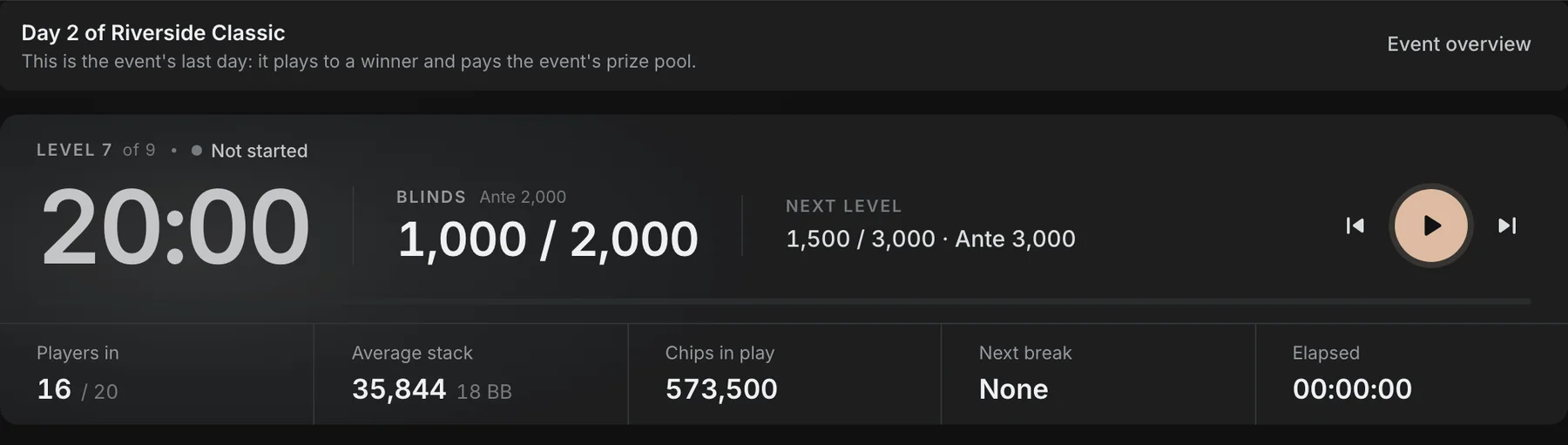
If the last day cannot finish in one sitting, stop it for the night: the clock pauses, you count the stacks, and play picks up from the same level when you start the clock again.
One result, counted once
Flights pay nothing on their own. The last day pays the event, and its results list everyone who played: those who reached it in the order they went out, everyone else after them by their last bust. The event page then shows the winner and the final places and prizes.
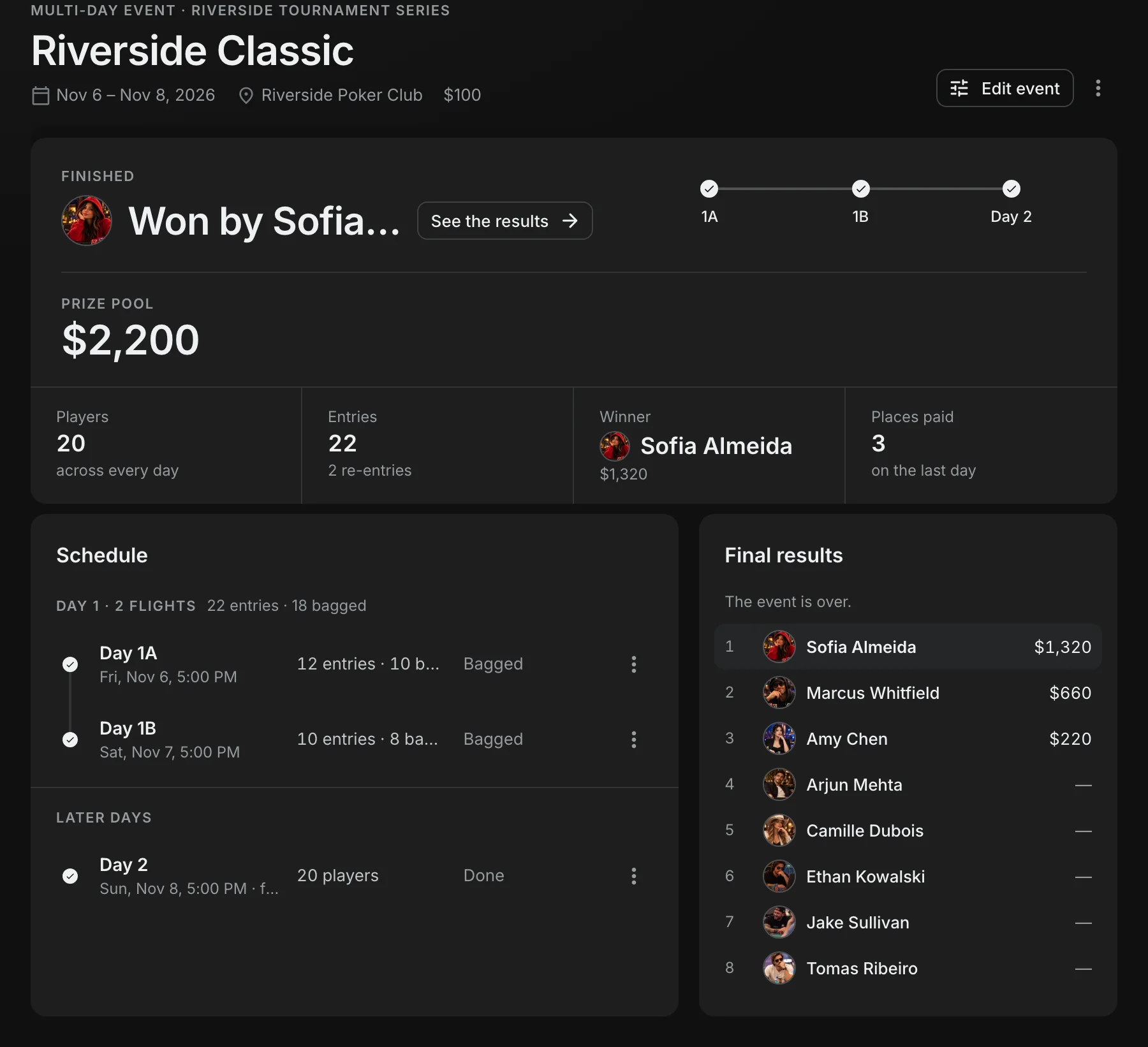
In your league the event is one tournament. Leaderboards, profiles and insights count it once, with every entry and fee a player paid across the flights in their spend, every knockout credited to whoever made it, and the playing time of all its days added together.
Add or move days
Add a flight or a day from the event page, rename a day (call the last one Final Table), or remove a day nobody has played.
Run it again
Duplicate the event for next season: every day's setup, payouts and structure, with the later days moved by the same amount.
Players know where they stand
A player's card on the event page says which flight they are in, the bag they carry, and when they play next.
Multi-day events are part of Premium, judged by the club owner's plan.
Related Posts